One interface for the archival journey
Archive Wrapper was developed for H-SEARCH to integrate and facilitate the movement of dossier data into archival packages. Users work in a guided interface while an underlying Archivematica instance carries out the preservation pipeline.
The wrapper connects to the archive dossiers where research files are brought together. It supports selection, description, metadata matching, review and ingest, then provides access to the resulting Archival Information Packages (AIPs).
A connection to the CORDRA FAIR Digital Objects repository associates granular metadata with individual files. This keeps the scientific context close to the material being archived.
Developed tool and future extension
The Archivematica workflow and CORDRA connection form the core project result. The RO-Crate screens demonstrate a mockup of a possible future extension.
From dossier to archival package
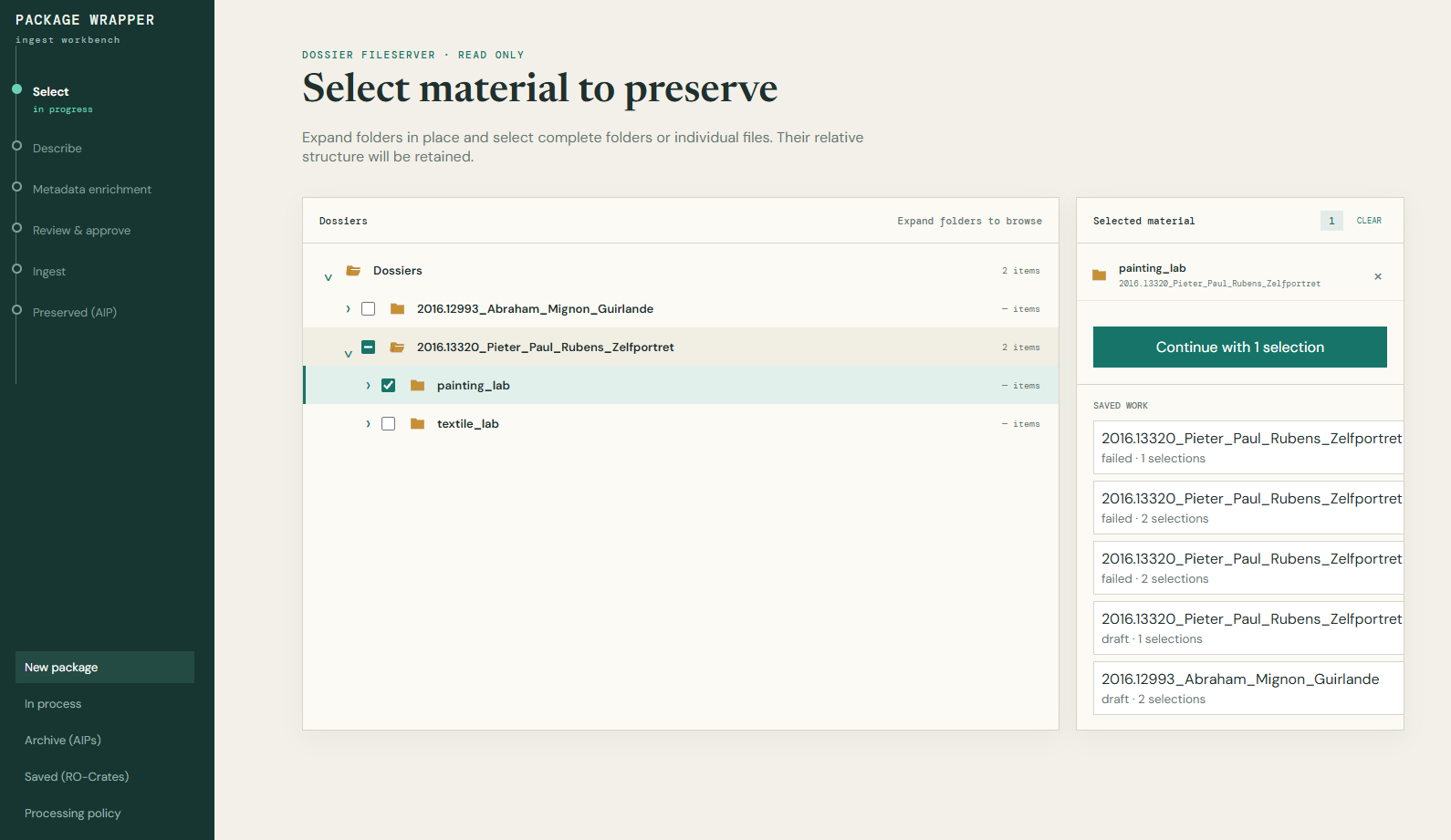
Select the material
Browse the dossier hierarchy and choose complete folders or individual files, retaining their relative structure.
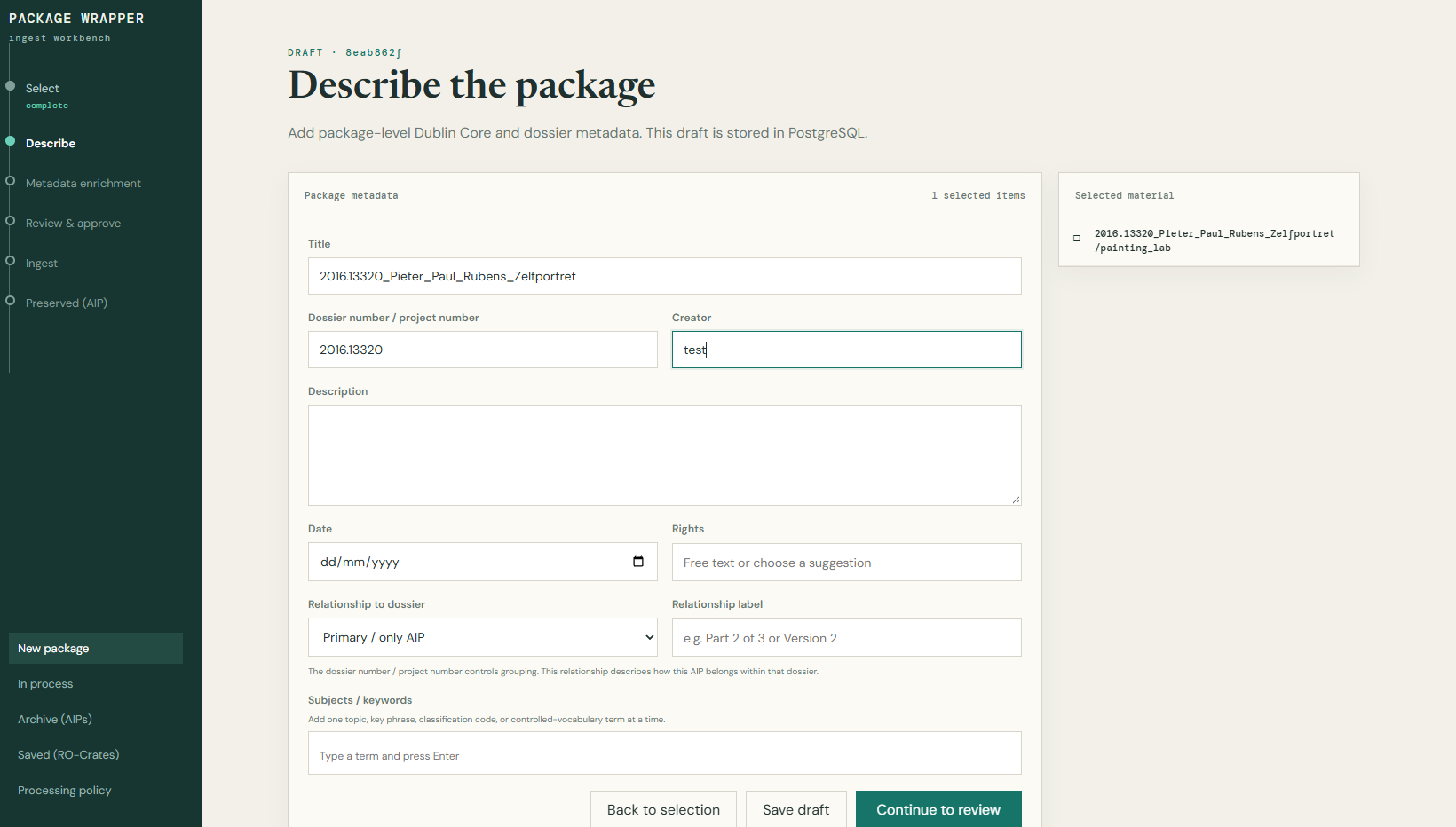
Describe the package
Add package-level Dublin Core and dossier metadata, including a title, dossier number, creator, description and rights information.
Match and review metadata
Connect files to their records in CORDRA, review matches and resolve links manually where needed, before approving the package.
Run the preservation pipeline
The wrapper follows the underlying Archivematica process and sends predefined answers at decision points. Users can track the ingest history through the wrapper without using Archivematica’s own frontend.
Inspect the preserved package
Search the archive, explore an AIP’s contents, preview files and download the preserved material.
Scientific context at the level of each file
The CORDRA connection is designed to match selected files to existing repository records and carry their metadata into the archive. Automatic matching is complemented by manual linking when a file needs review.
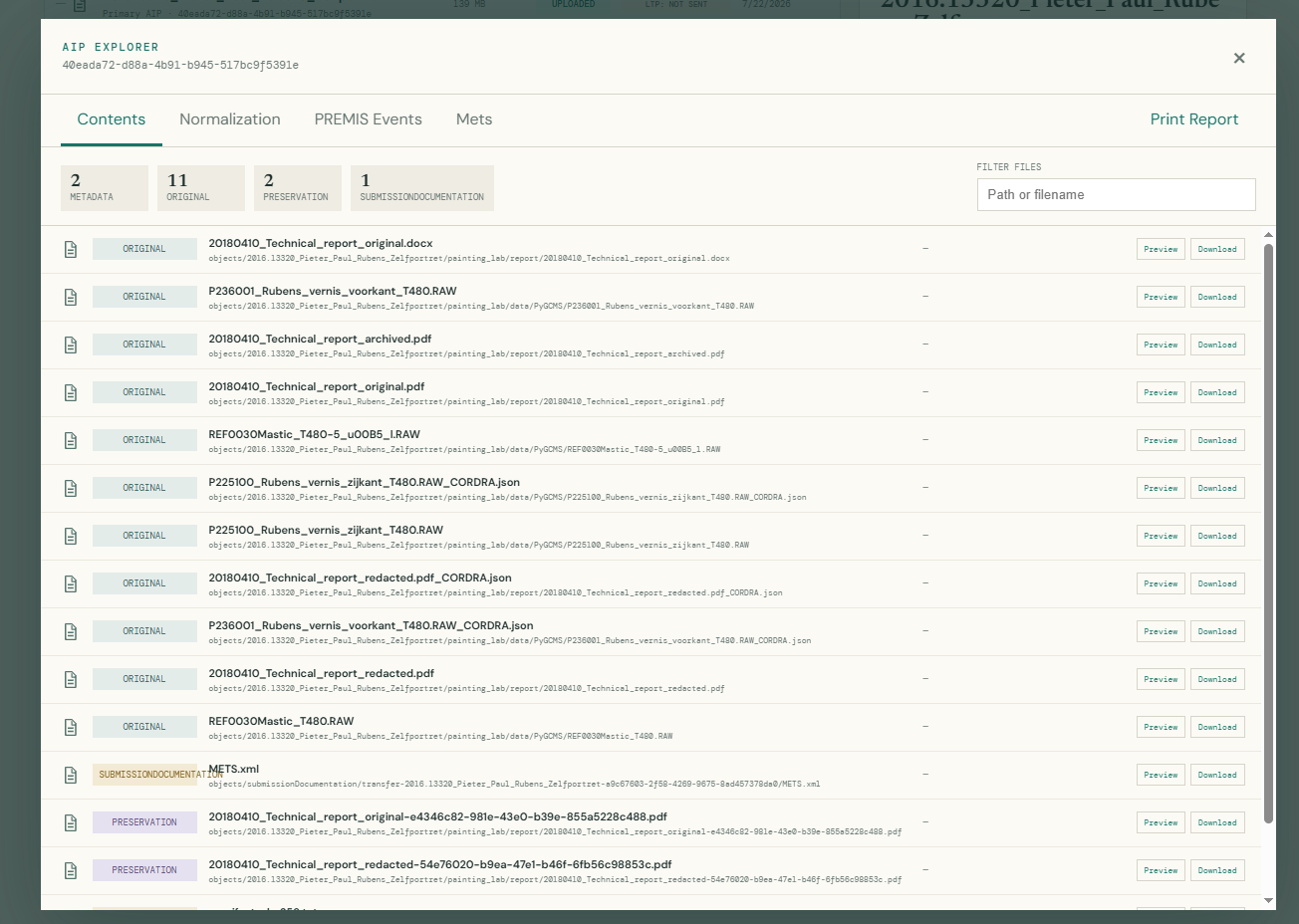
This is more granular than describing a dossier as a whole: individual analytical files, images and reports can retain their own associated research metadata. The AIP explorer below includes CORDRA JSON metadata files alongside research files.
Make the preserved package inspectable
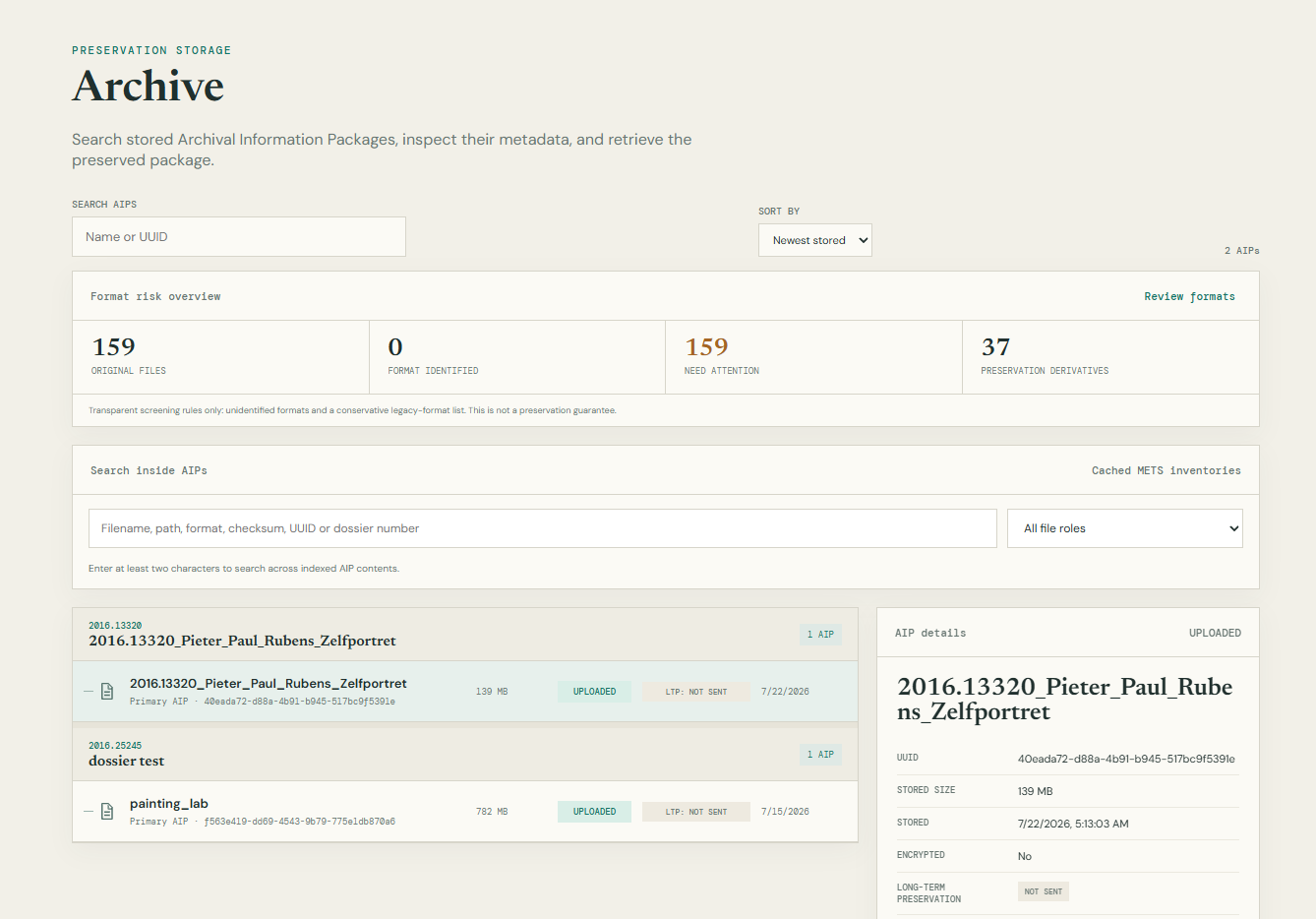
The archive view brings stored AIPs together by dossier and offers searches across packages and their indexed contents. Users can inspect metadata and processing history, then open the AIP explorer.
The explorer distinguishes original files, preservation derivatives, metadata and submission documentation, with preview and download controls. It also exposes views for normalisation, PREMIS events and METS information.
Next step: integrating transfer to LTP
Transfer to long-term preservation (LTP) storage is the next integration step for Archive Wrapper. The transfer code and workflow already exist and are used by KIK/IRPA’s Digital Asset Management System (DAMS). The remaining work is mainly to settle the decisions governing this integration and connect the existing workflow to Archive Wrapper.
The “LTP: not sent” status in the screenshot reflects this pending integration.
Future extension · Mockup
Exploring RO-Crate alongside preservation
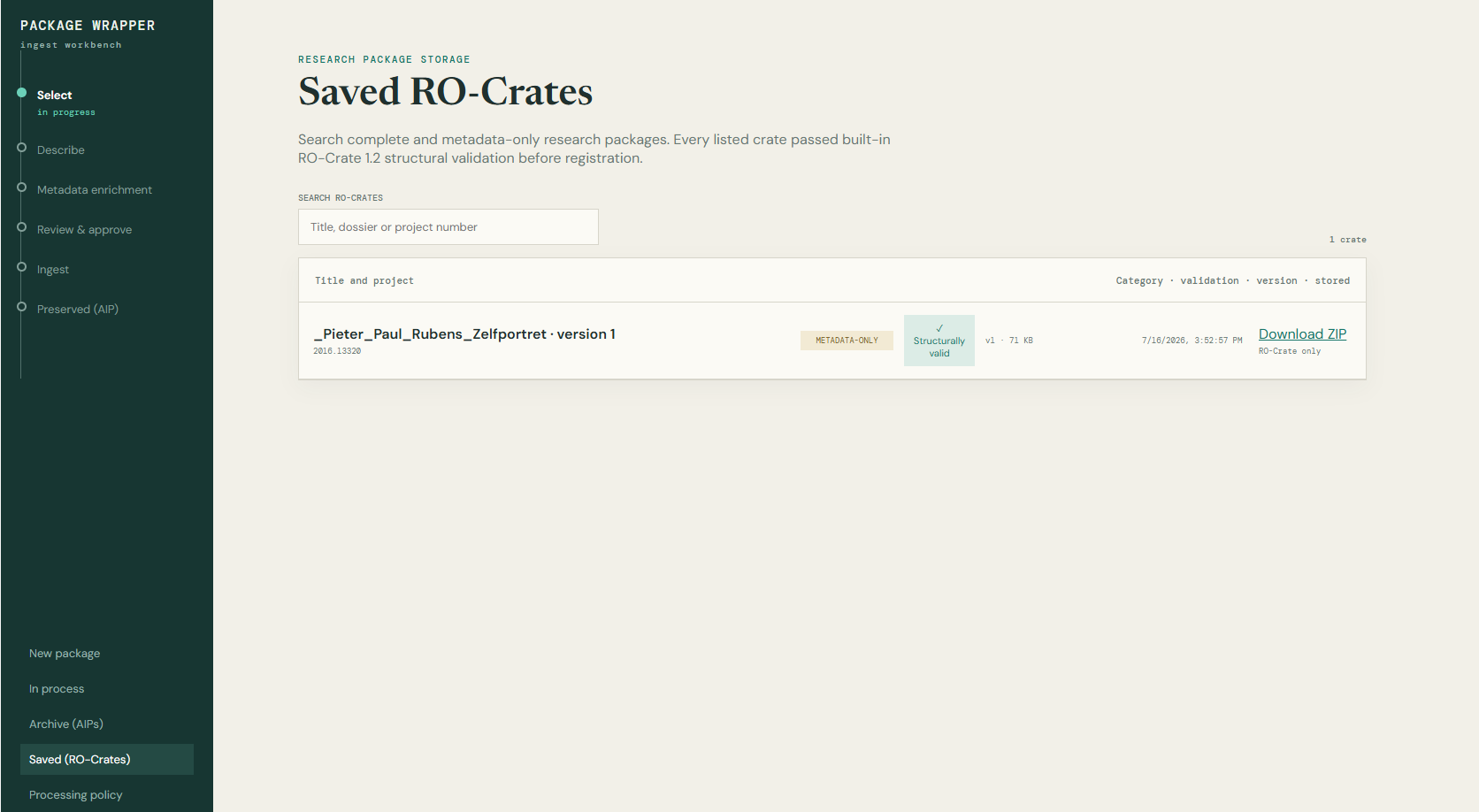
The team has incorporated a mockup to explore how RO-Crates could extend the tool in the future. It considers three forms: a separate package containing data and metadata, a metadata-only crate, or RO-Crate metadata embedded within an AIP.
The mockup includes output choices during package preparation and a separate view for saved RO-Crates. These screens illustrate possible research-package workflows alongside the core archival workflow; they are not presented as a completed production feature.
From preservation research to a practical workflow
Archive Wrapper directly supports the implementation focus of WP.2: bringing archival procedures into a usable service. Its file-level metadata connection also relates to the project’s wider aims for well-documented, reusable research data.
Read the archival preservation work package →Screenshots show the development interface, labelled “Package Wrapper”, shared in the September 2026 project update. This page describes the project result; the live tool is not hosted on this website.